LangTrack for Chrome
Watch YouTube. It logs itself.
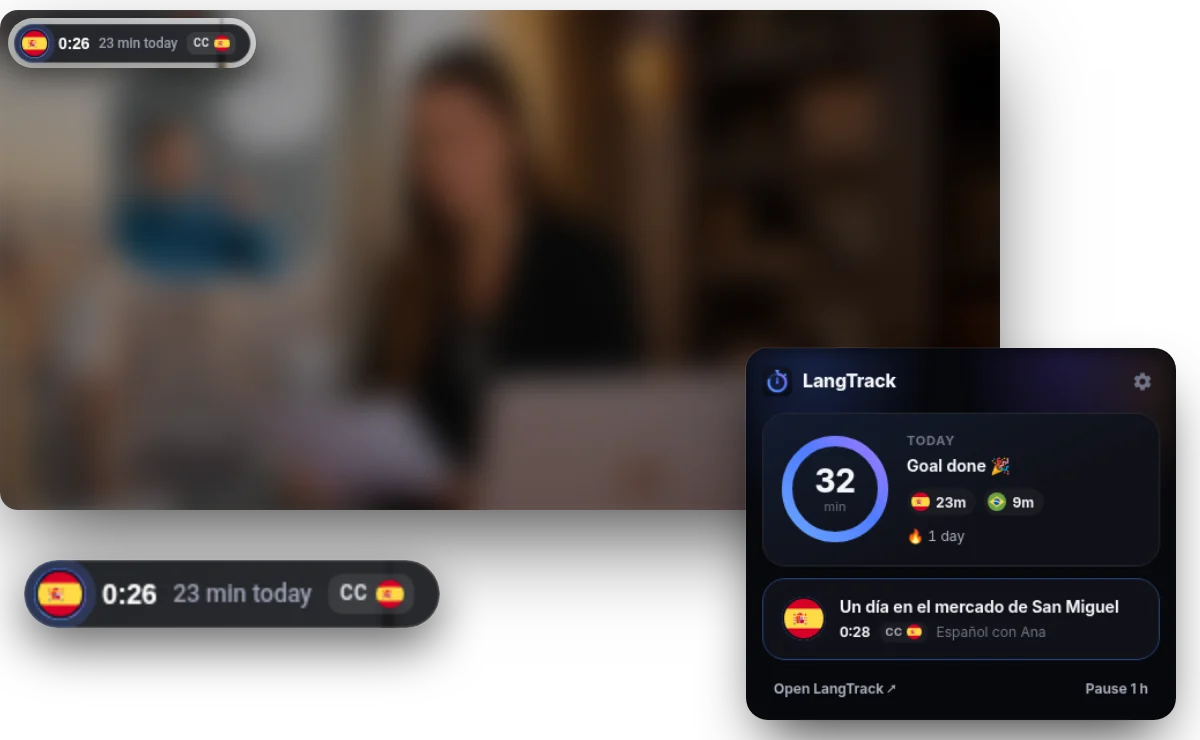
Add LangTrack to Chrome and press play. It works out the language from the audio, captions and channel, then adds the minutes to your log: one entry per language a day, growing as you watch.
- Nothing to start or stop
- Ads, muted tabs and paused videos don't count
- Video titles never leave your browser
YouTube only for now · Works with every LangTrack account
Three steps, then nothing to do
Add it to Chrome
Install it from the Chrome Web Store and connect your LangTrack account once. You stay signed in.
Press play
Watch YouTube in a language you're learning. A small flag on the video shows it's counting, and you can turn that off in settings.
Find it in your log
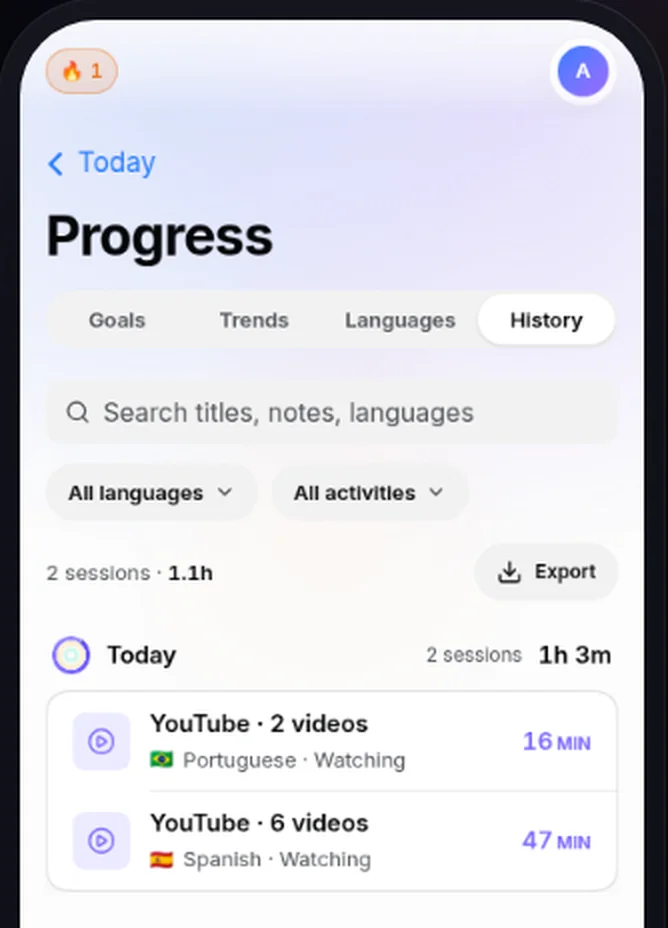
Your rings, goals and streak update by themselves. There's no timer to start and nothing to type.
One entry a day for each language
Your YouTube time collects into one entry per language per day, like "YouTube · 6 videos", growing as you watch. You can edit or delete it like any other log, and undo from the extension.
It works out the language for you
It reads YouTube's audio track and auto-captions, then the channel and the title, so a Japanese vlog or a learner video with an English title still counts in the right language. It never stops to ask. If it guesses wrong, the flag on the video fixes it in one tap.
It counts what you actually watch
Counts
- Videos, Shorts, live streams and playlists
- The miniplayer, and YouTube videos embedded on other sites
- YouTube Music, as listening
Doesn't count
- Ads
- Pauses and muted tabs
- A video left running overnight
- Videos in languages you aren't learning
Already running LangTrack's timer in that language? The video isn't counted twice.
Which videos you watch stays with you
LangTrack gets
- The language and the minutes
- The day, and how many videos
- Whether subtitles were on, and in which language
LangTrack never gets
- Which videos you watched
- Their titles, channels or links
- Anything about other websites
Usage stats, such as which buttons get used and errors, help us fix things. You can turn them off in the extension's settings. Read the privacy policy
Built not to need reinstalling
It keeps counting through Chrome updates, restarts, a lost connection and sleep, then catches up by itself.
Questions
Is LangTrack for Chrome free?
Yes. It's free with every LangTrack account, and LangTrack itself is free for one language.
Can LangTrack see which videos I watch?
No. It gets the language, the minutes, the day, your subtitle setting and how many videos. Titles, channels and links stay in your browser.
Does it work with Netflix or Prime Video?
No. It covers YouTube only for now, including YouTube videos embedded on other sites.
Does it work on my phone or TV?
No. It works in Chrome on a computer. For what you watch on a phone or TV, log it in LangTrack yourself.
What if it gets the language wrong?
Tap the flag on the video to fix it in one tap. You can also edit or delete the entry in LangTrack.
Is the extension in my language?
Its own screens are in English for now. It counts videos in whichever languages you're learning.
Press play and let the minutes add up
You'll need a LangTrack account to connect it. It's free, and takes about a minute.
LangTrack isn't affiliated with or endorsed by YouTube or Google.